
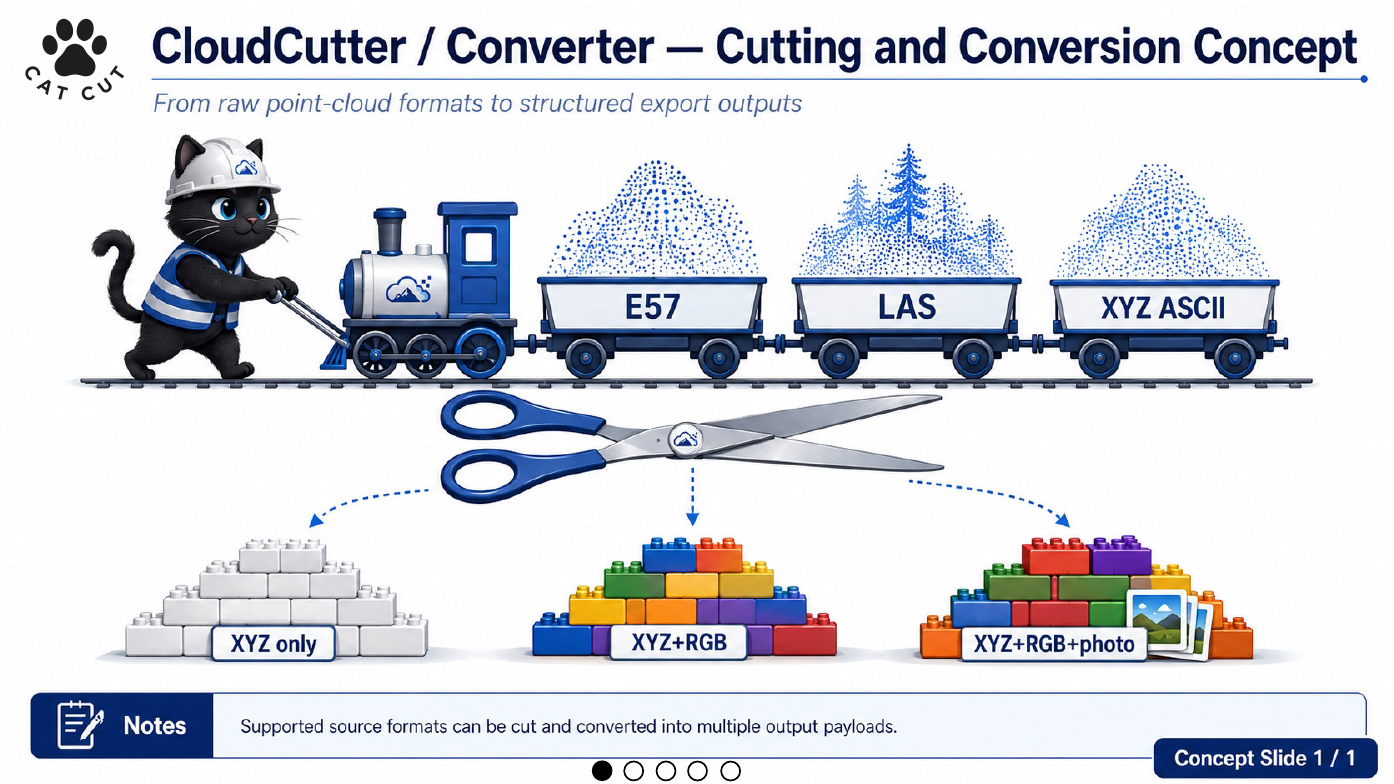
The original CloudCutter_E57 focused on one source format and one immediate engineering bottleneck. As the architecture expanded, the application became both a cutter and a converter.
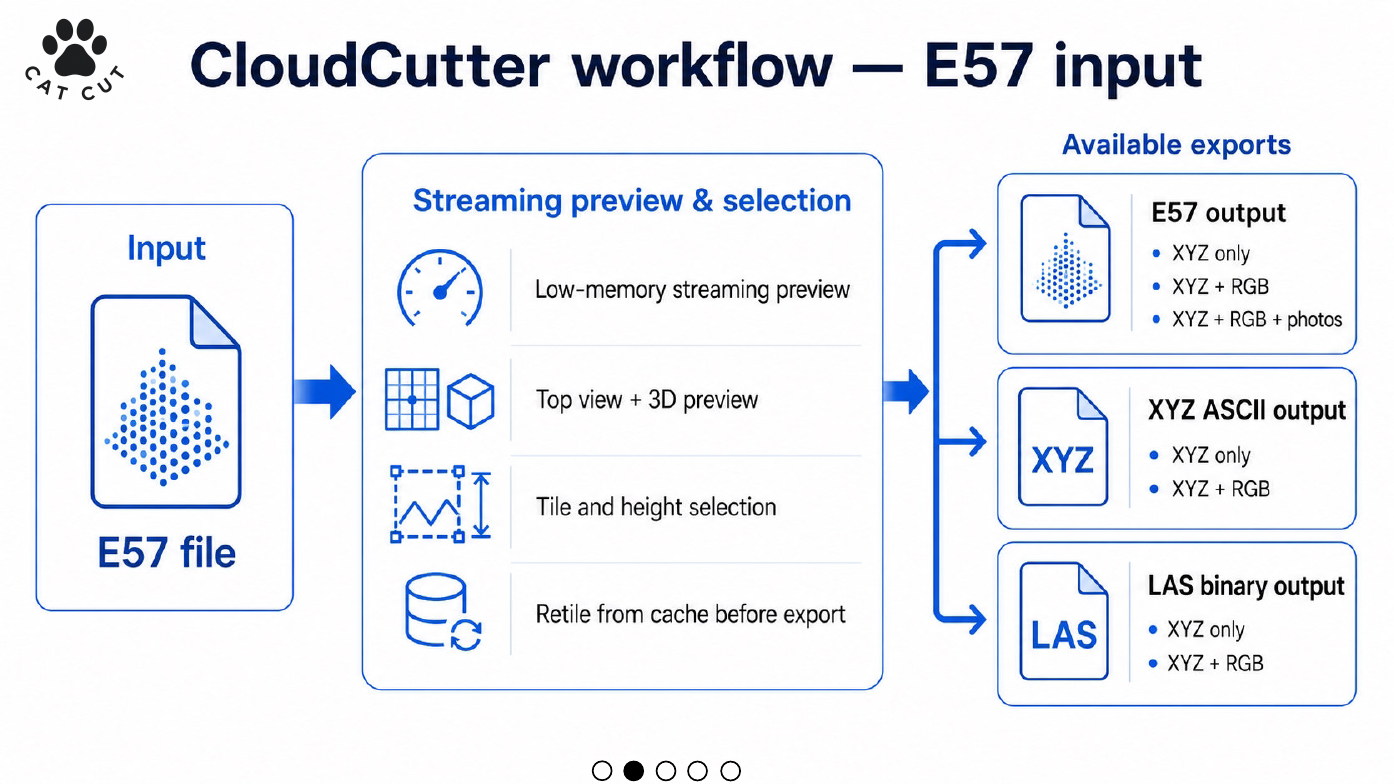
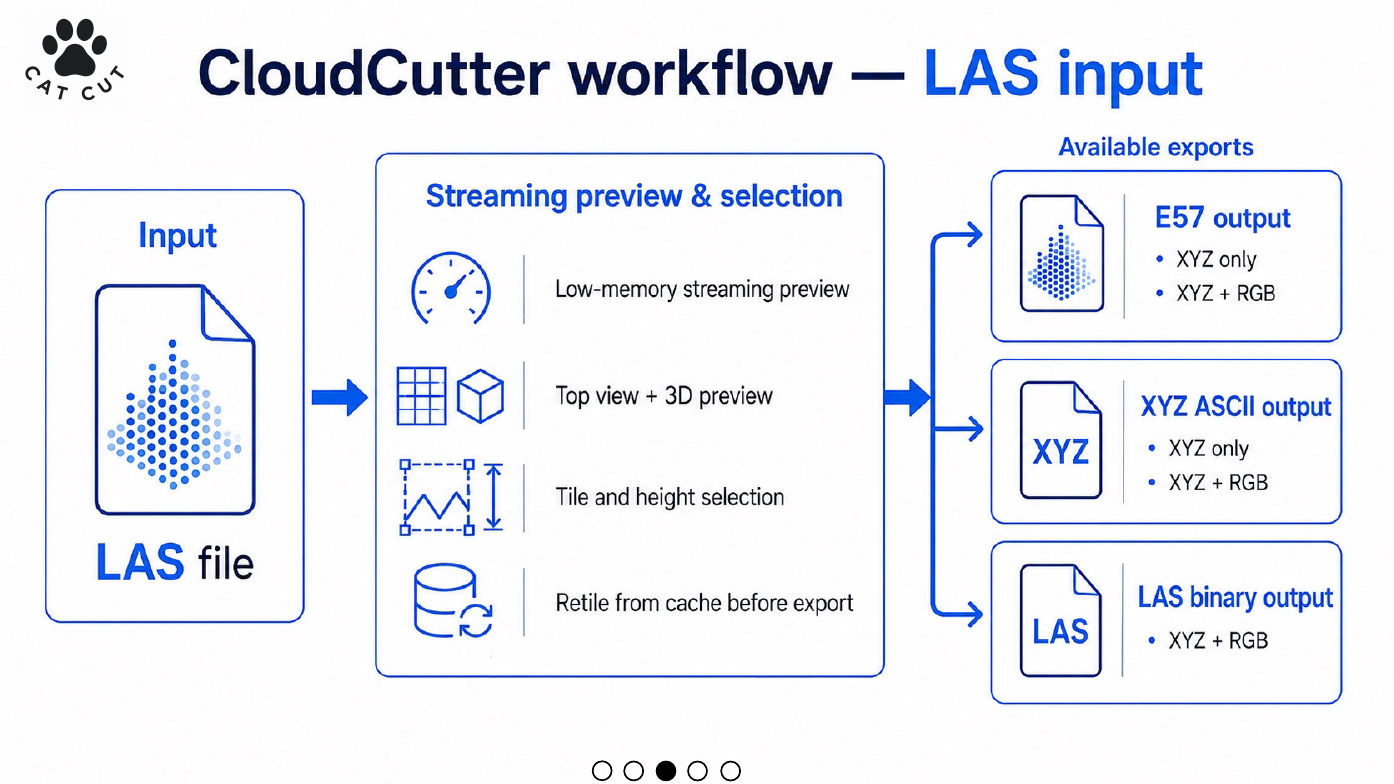
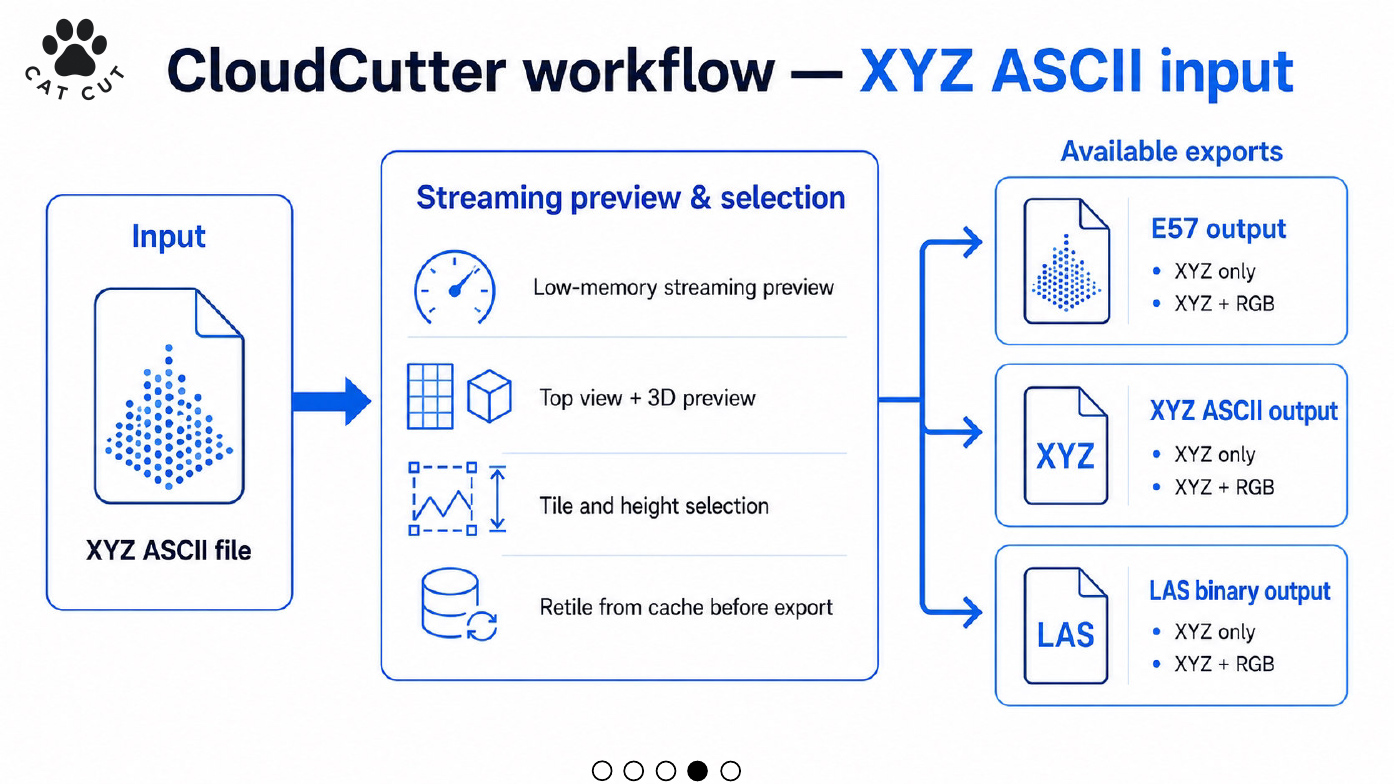
The visual deck explains three input paths:
- E57 input can produce E57, XYZ ASCII, or LAS outputs while preserving compatible point attributes and, for E57-to-E57 workflows, supported photos where requested.
- LAS input can produce E57, XYZ ASCII, or LAS outputs with the attributes available in the LAS source.
- XYZ ASCII input can produce the same three output families, limited by the columns and metadata actually present in the source text.
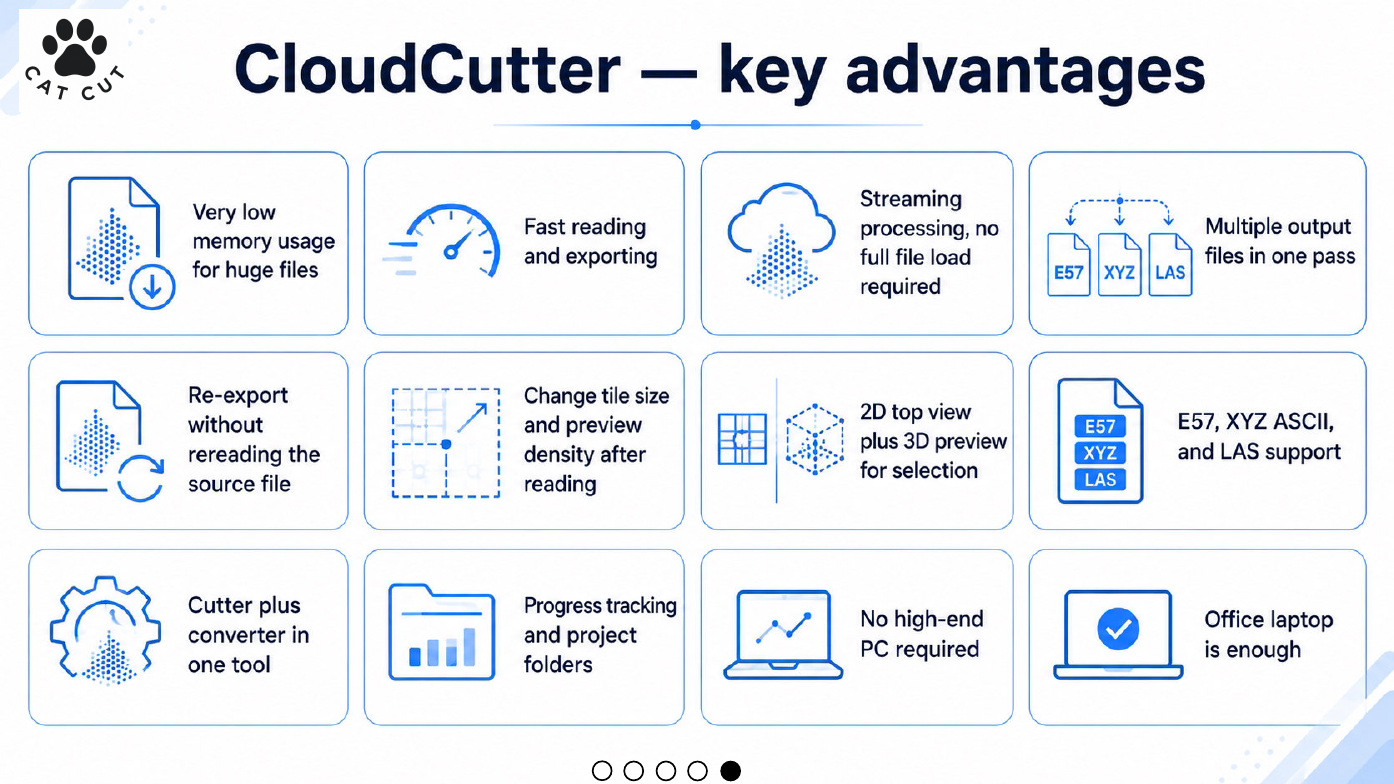
The slides also summarize the design principles: bounded-memory streaming, early preview, spatial and height selection, cached retiling, multi-output workflows, progress reporting, and operation on ordinary office hardware.
The name CAT_CUT appeared briefly during this transition. For a coherent public archive, it should be presented as a historical development name. The current product name is CloudCutter.
Which point-cloud formats can CloudCutter prepare or convert?
CloudCutter's multi-format architecture separates two questions: how the source format is read safely, and which output format the engineering workflow requires. E57, LAS/LAZ and XYZ ASCII have different metadata and storage characteristics, so conversion should preserve only attributes that are actually available and supported on both sides.
E57 to LAS
Use this path when registered point data needs to enter a LAS-oriented LiDAR or CAD workflow and the required attributes can be represented in the destination.
E57 to XYZ
Use XYZ when a transparent coordinate-based text representation is more useful than a richer binary container.
LAS or XYZ to E57
These paths are useful when a downstream workflow expects E57. XYZ requires explicit interpretation because the format does not reliably declare units, column meaning or coordinate-reference information.