
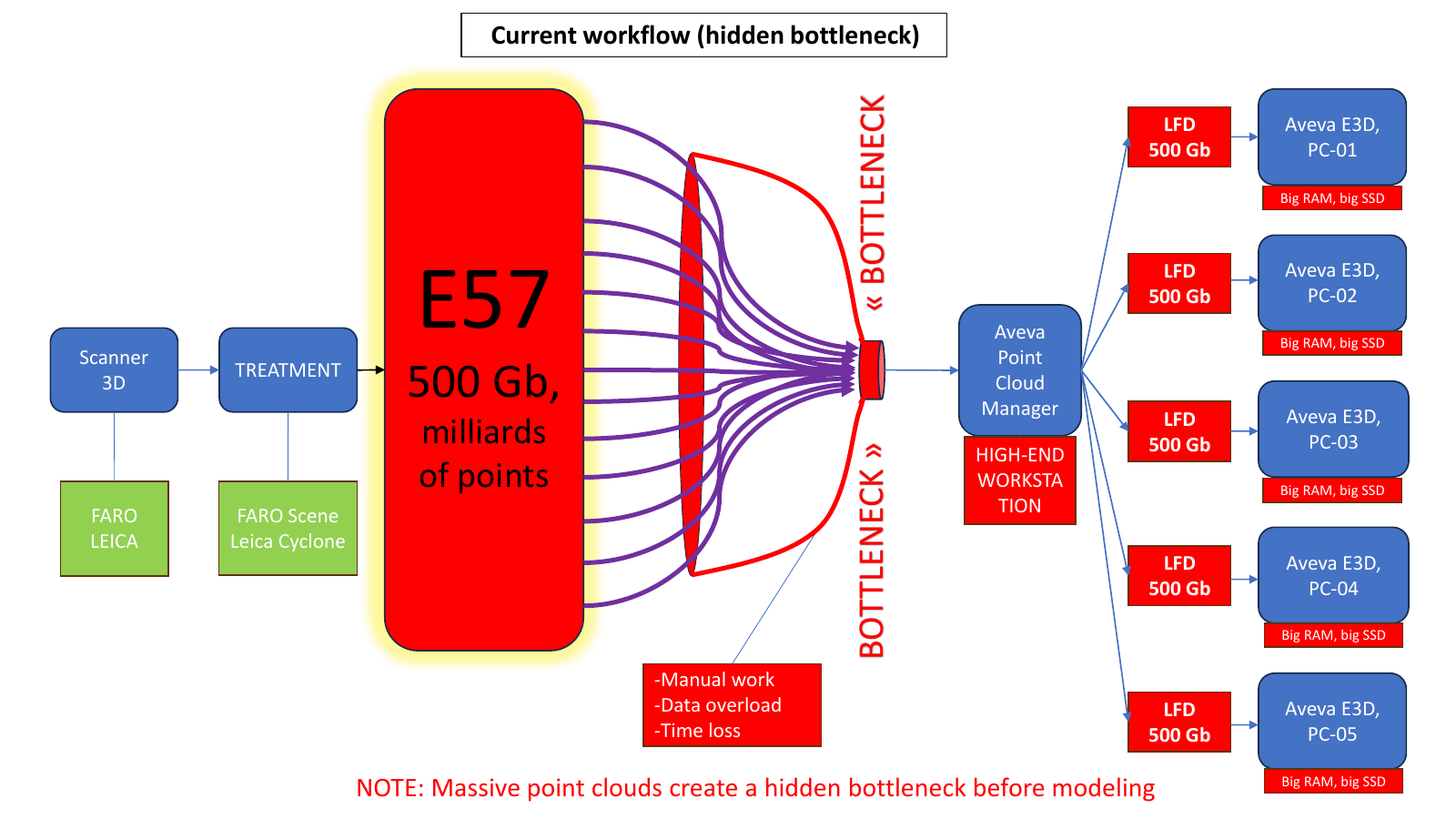
Current workflow: the hidden bottleneck
After scanning and registration, a large E57 dataset may pass through point-cloud management software before reaching several AVEVA E3D workstations. When every workstation receives the same very large project context, the organization pays repeatedly in storage, loading time, hardware requirements, and manual preparation.
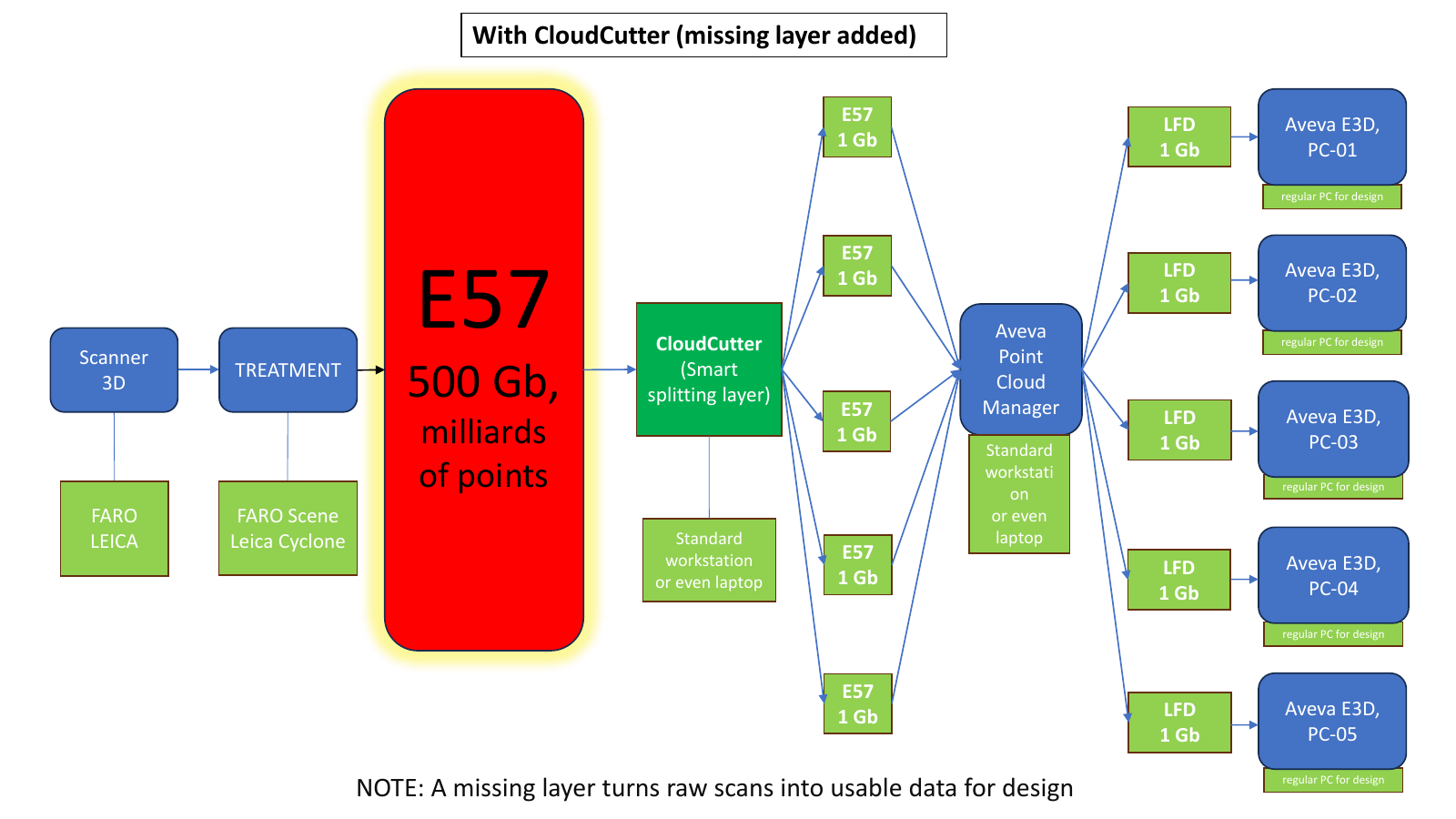
With CloudCutter: a preparation layer is added
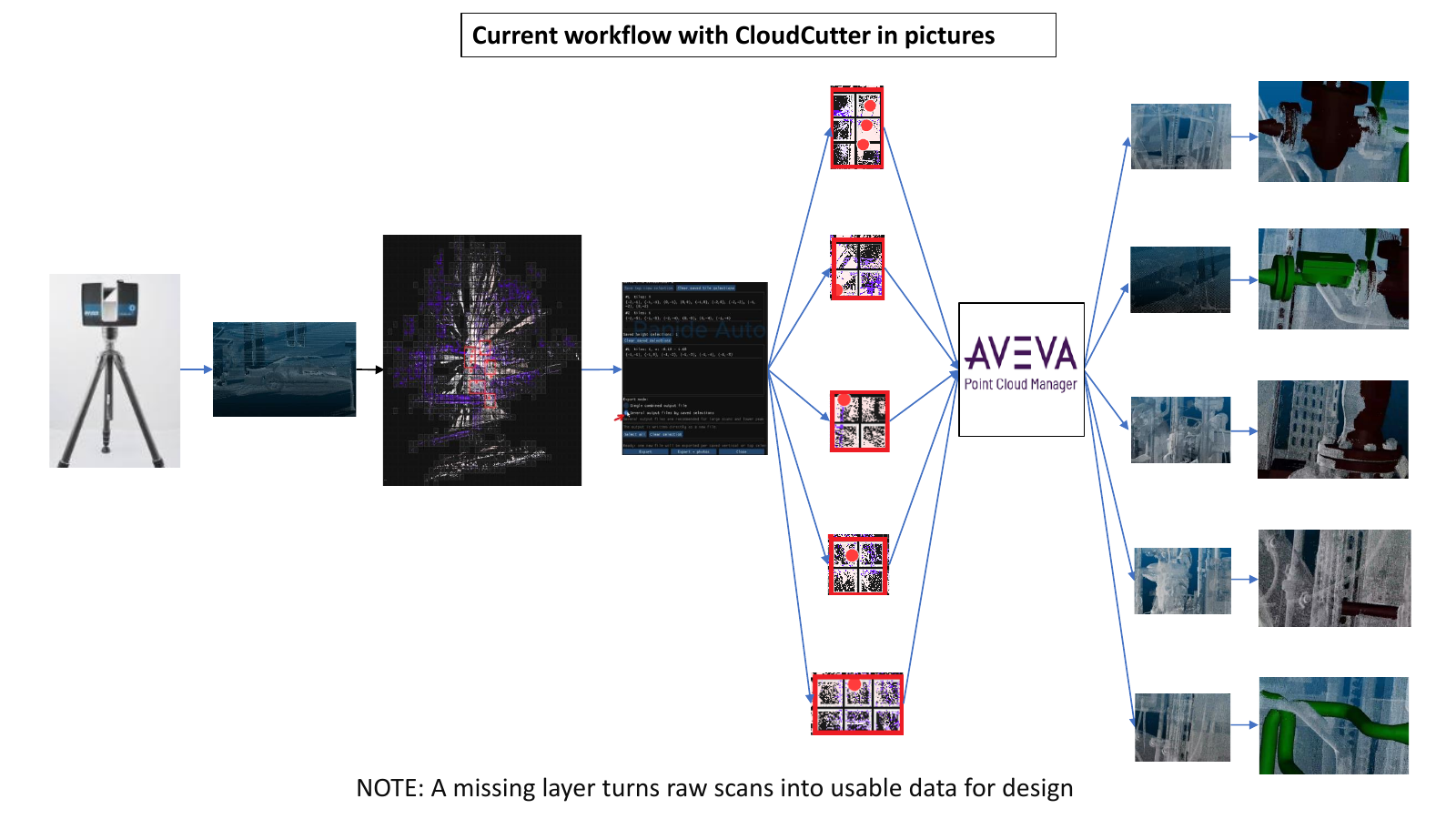
CloudCutter sits between registered scan data and downstream engineering tools. It creates smaller spatially controlled outputs for individual work packages. Designers can then work with relevant local context on ordinary engineering workstations rather than repeatedly handling the complete scan.
The diagrams use simplified file sizes to explain the concept. They are illustrations of workflow structure, not a promise that every 500 GB source will always become a particular 1 GB output.
How to prepare a large point cloud for CAD or BIM work
Registration software can produce a correct master point cloud while the modelling team still needs a much smaller working context. A useful preparation step is therefore to divide the registered source into files that correspond to buildings, floors, zones, equipment areas or other engineering work packages.
This is not scan registration and it is not CAD modelling. It is point-cloud preparation: inspect the source, define the area needed by the designer, preserve the required point attributes, and export a dataset with a practical size and scope for the downstream tool.